Walk Coach
Reducing the mental load of an unfamiliar delivery walk.
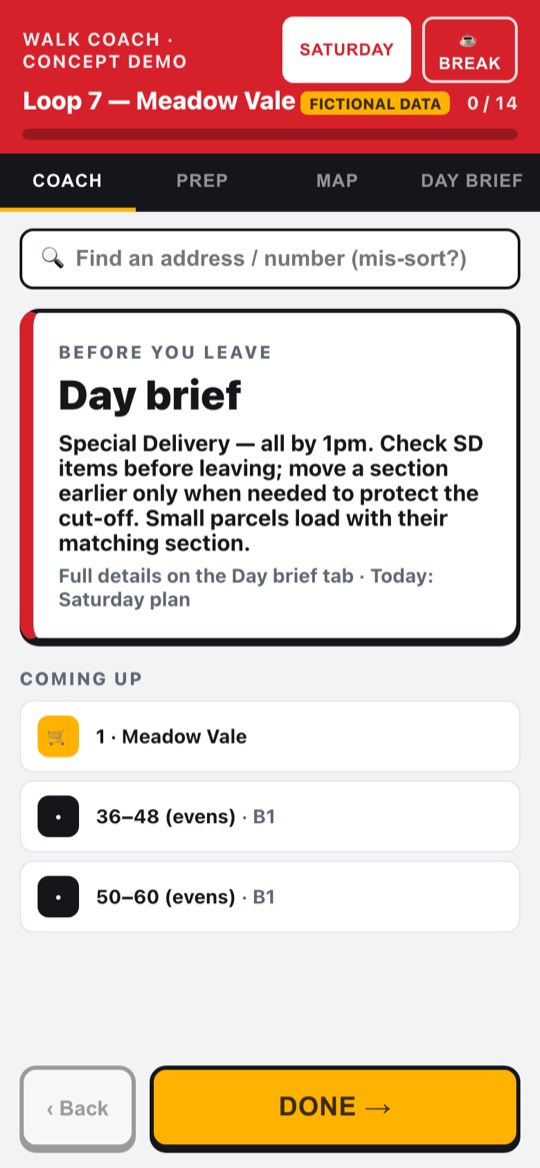
Independent concept — not affiliated with, or endorsed by, Royal Mail. Every walk, place and figure shown here is fictional.
The problem
While working at Royal Mail, I watched new and reserve posties struggle with unfamiliar walks. Experienced staff move confidently because they already know the sequence; a new starter has to hold parking, bundle changes, crossings, collections and delivery notes in their head all at once.
A manager had spotted the same problem — and had already commissioned a printed map to help with it.
Research
My research was the job itself. I'd walked these routes, so I knew the map wasn't the answer: it tells you where things are, but it doesn't teach you the walk — and the difficulty was never navigation. It was the cognitive load of remembering what to do next.
Handing someone a map is like giving an Uber driver an A–Z in 2026.
So I made the case for something different: not a better map, but guidance — one decision at a time, the way modern tools actually work. Because I'd done the job, I could argue for it, then build it.
The design approach
I designed Walk Coach to reduce mental effort rather than simply display information. It's shaped as the four moments of a delivery day, not one screen:
The decisions behind it:
Model the real structure of a walk, not a route list
A walk isn't a list of stops — it's sections, banded bundles and runs, with trolley lock-points, deliver-while-pushing stretches, and different rules on a Saturday. Building that structure is only possible if you've actually walked it.
One next action, not the whole map
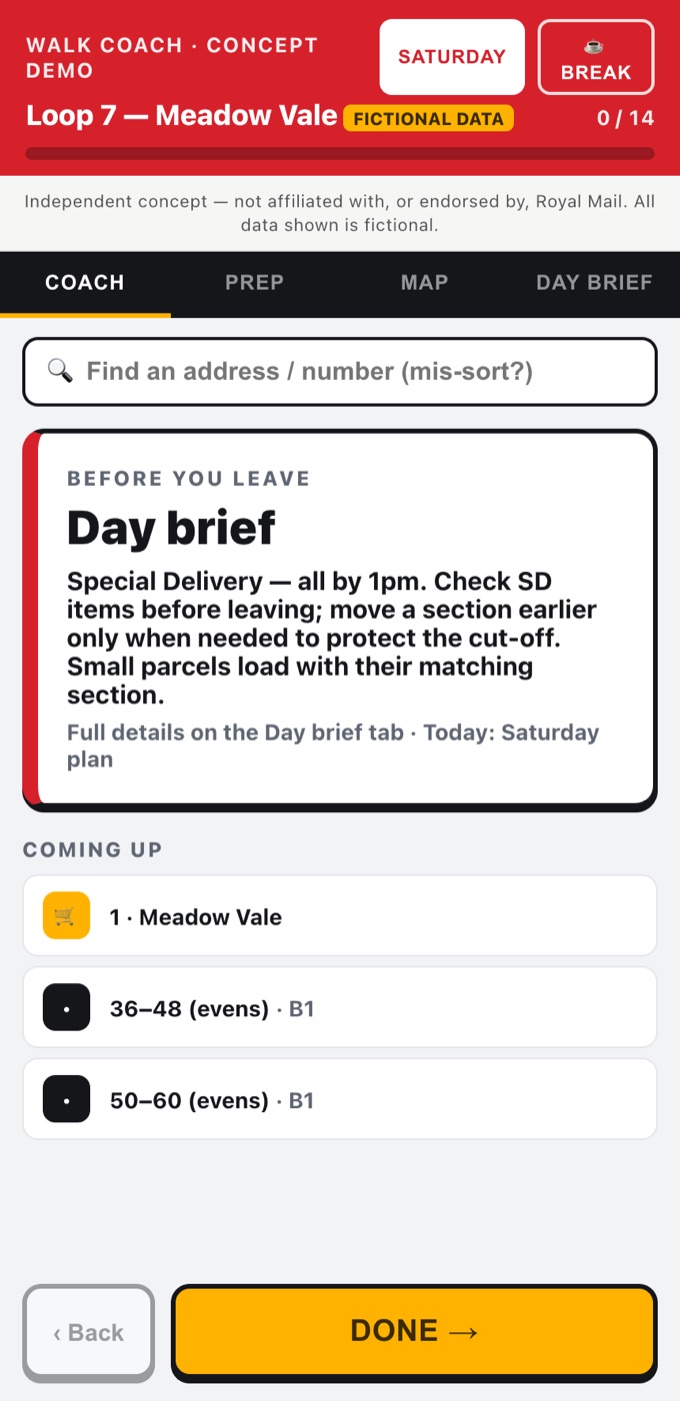
Experienced posties can hold the sequence in their head; beginners can't. So the Coach view shows one big "do this next" card with what's coming up, instead of a map that assumes you already know the route. Guidance one decision at a time.
Views that follow the shape of the job
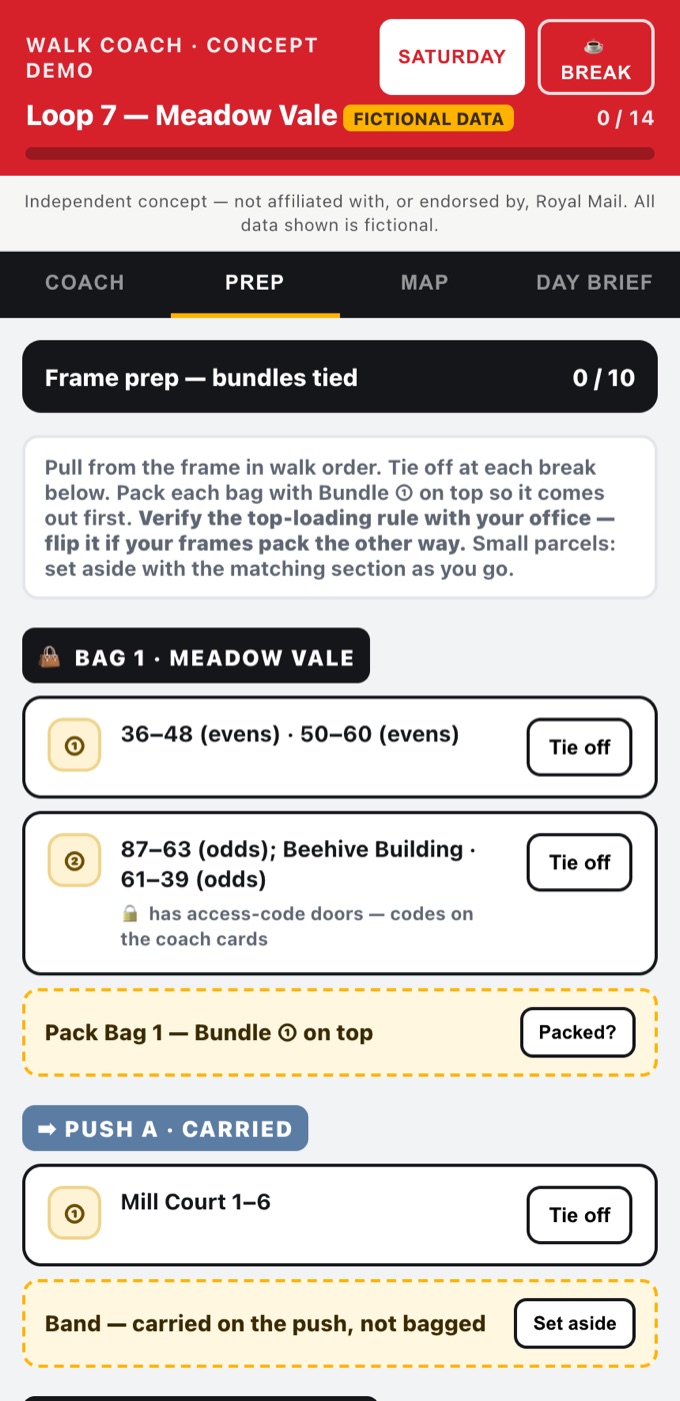
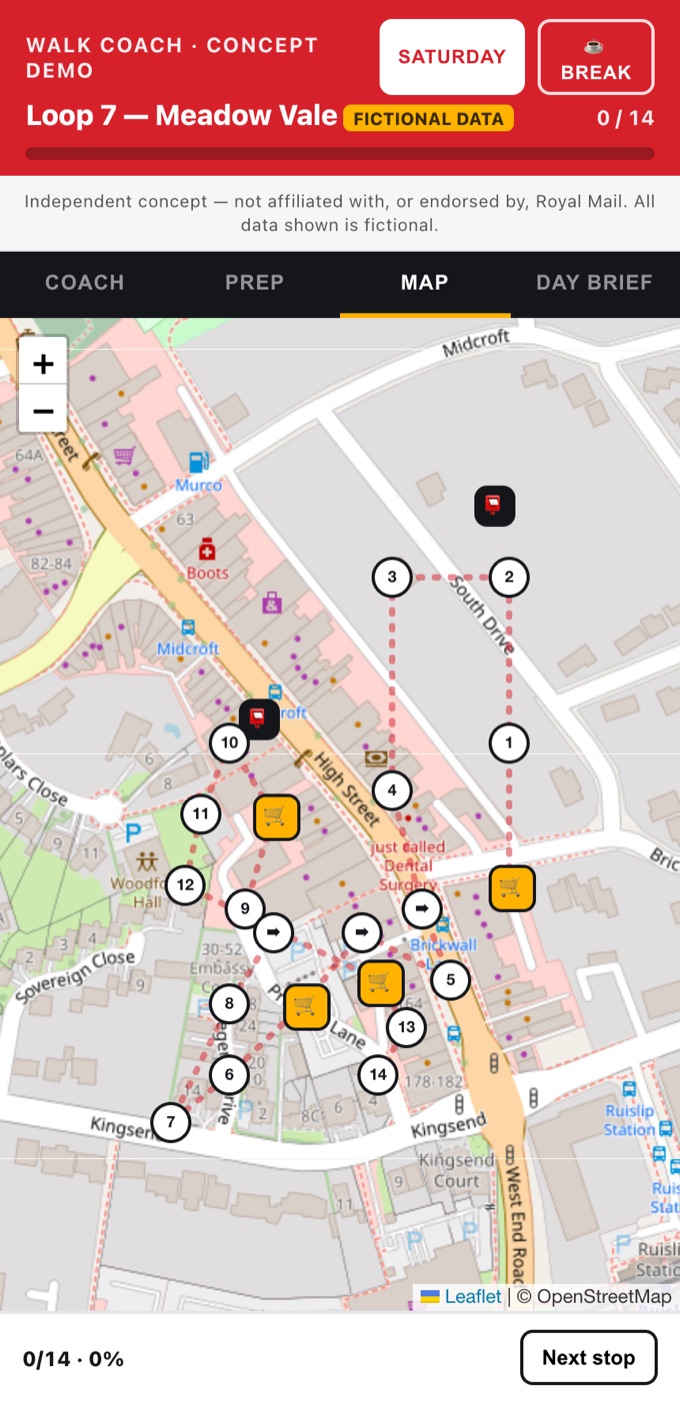
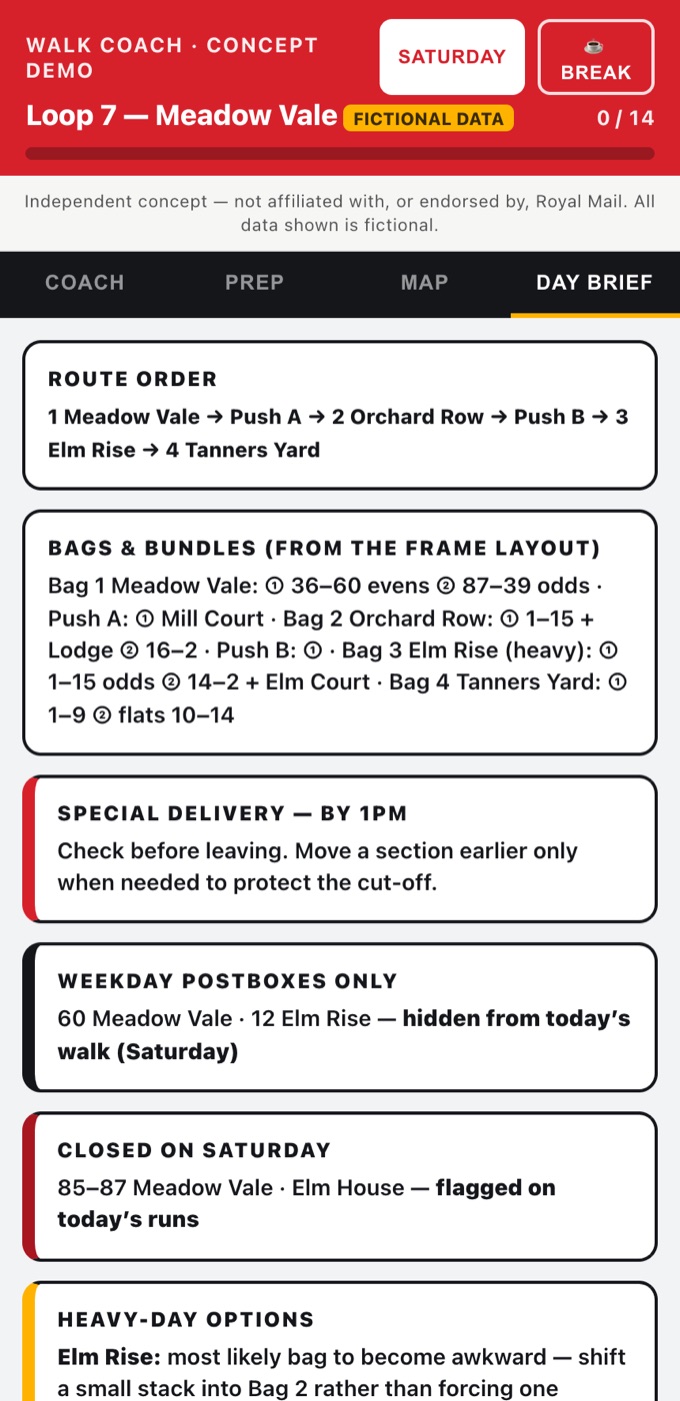
A day brief before you leave, Prep to tie off the frame in walk order, Coach out on the round, and a Map to find an address or a mis-sort. Each view is a different moment of the same day, not a menu of features.
Worker-protective by design
The app guides the worker and never tracks or reports them, and the pace estimate stays on the phone. In a workplace tool, that trust matters more than any feature — so it's stated plainly, and every figure in the demo is fictional.
Screens
Captured from the interactive concept demo — every walk, place and figure shown is fictional.
Technical implementation
Walk Coach is a self-contained web prototype — deliberately lightweight, because the point was to prove the interaction, not to build the system behind it.
The decisions that mattered technically:
A prototype that proves the interaction, not a platform
It's a static web app with no backend, so it loads instantly on any phone browser and needs nothing installed. That let me put the real experience in a manager's hand quickly — the fastest way to argue for an idea is to let someone use it.
The walk encoded as data
Sections, banded bundles, runs and tie-off points are modelled as structured data the views read from — the same source drives the Day brief, Prep, Coach and Map. That structure is the product, and I could only model it because I'd walked it.
Maps only where they earn their place
Leaflet and OpenStreetMap power the Map view for locating an address or a mis-sort — but the Coach view deliberately hides the map. The technology appears exactly where it reduces load and nowhere it would add it.
Outcome
Walk Coach is a working, interactive prototype — a concept I could hand to management to react to, not just a slide. The managers I showed it to responded positively — a reminder that small workflow improvements can have a meaningful operational impact. It hasn't been deployed; the value so far is the proposal, and the proof that the right tool here is guidance, not a map.
What I learned
This project reinforced how valuable domain knowledge can be. Because I'd done the job myself, I could see that the obvious fix — a map — was the wrong tool, and make the case for the right one.
It also taught me that a prototype someone can hold beats a document they have to imagine. Building the real interaction, even with fictional data, changed the conversation.
Walk Coach is an independent prototype — not affiliated with, or endorsed by, Royal Mail. All walk data shown is fictional.